When you open a .connect file it automatically creates a shortcut (.lnk file) in
"%appdata%\Microsoft\Windows\Start Menu\Programs\My Remote Applications"
How to stop this from happening?
At each connection in RemoteApp mode, for each application assigned to the connected user, a shortcut (.lnk bearing the name of the application) is created, the idea being to have quick access to the applications accessible during the last RemoteApp successful connection, without having to go through a .connect again or a connection via the web portal in RemoteApp mode.
To change this behavior:
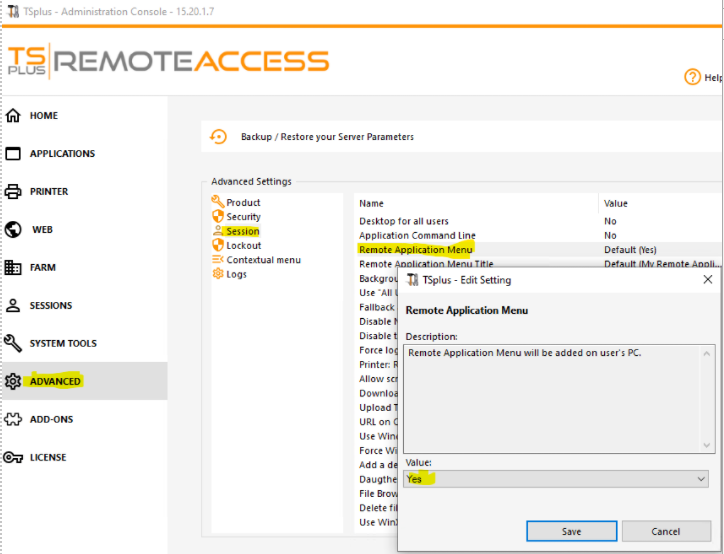
Open the AdminTool
go to the advanced parameter section "Session"
choose the setting "Remote Applications Menu"
check the default "yes" and change it to "no".