
It is possible to activate smartsizing for an rdp session in RemoteApp mode.
However, when this option is activated, systematically specify the desktop resolution of the TSplus server, see the documentation below:
It will therefore be necessary:
1. Identify the way in which it connects in RemoteApp (either through the web portal, or through a generated client)
2. Starting from there, change the necessary parameters to specify the desktop resolution of the TSplus server, and activate smartsizing.
If you use a generated client, all these infos can be configured from this window:
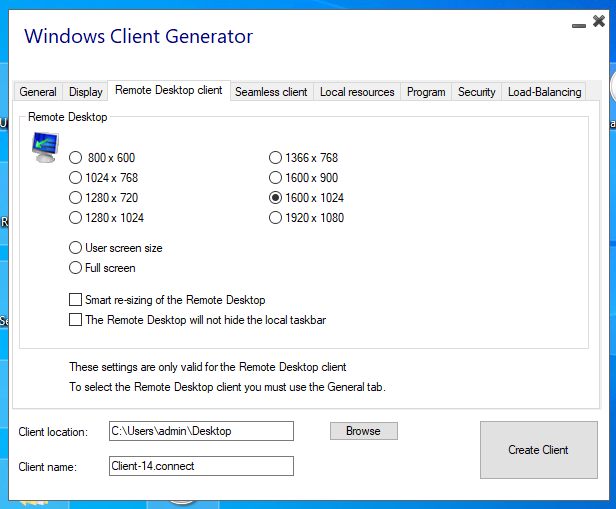
Either you have to change the following parameters in remoteapp2.js located in "C: \ Program Files (x86) \ TSplus \ Clients \ www \ software"
1 = enabled for the smartsizing option.
var remoteapp2_smartsizing = '1';
var remoteapp2_width = '';
var remoteapp2_height = '';
