How to fix the HTML5 client defaulting to some country dates and time?

Categoria: Troubleshooting | Visualizações: 637Criado: 2019-08-06 | Atualizado: 2019-08-06You inherit from Windows installation default settings on a the very first connection for each user.You will need to assign a full remote desktop for each user and:use a GPO to force some settings to apply to...

Atualizado em 15/10/2026 1 min de leitura Remote Access
Remote Access 200 tópicos
Ver a categoria

Categoria: Troubleshooting | Visualizações: 637

Criado: 2019-08-06 | Atualizado: 2019-08-06

You inherit from Windows installation default settings on a the very first connection for each user. 

You will need to assign a full remote desktop for each user and:
  • use a GPO to force some settings to apply to all

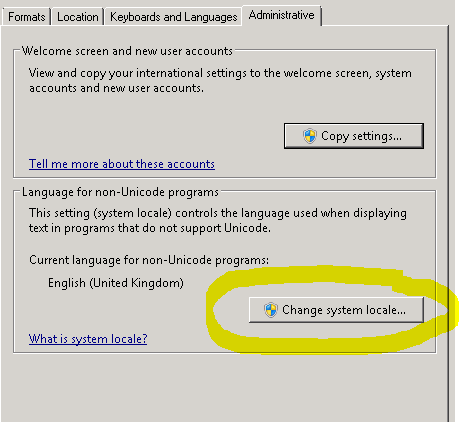
  • or click on the button below to force your style and date format setting to all of your newly created users.
    Please note this will not work if a session was already opened after creating a new user. 
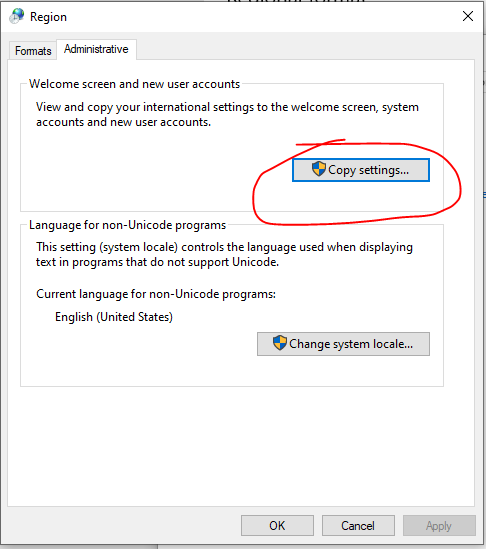


Example: changing the System Locale from English US to English UK fixed the issue for existing users.