File Transfer is an HTML5 feature, so you cannot use it while connected using RDP.
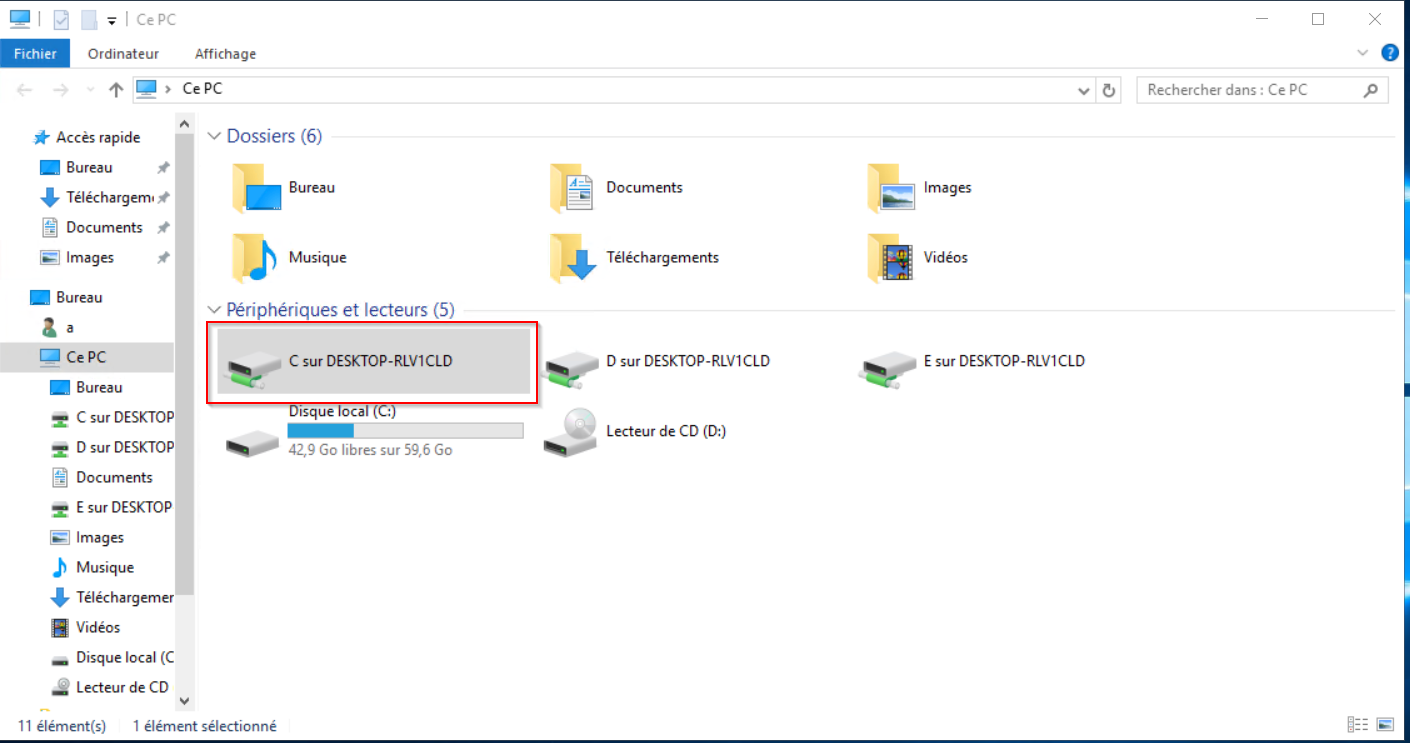
However, while connected in RDP, users can directly select and copy any file (depending the applied restrictions) to his own C: redirected drive.
To do this, you can simply generate a connection client for your user from your AdminTool\SESSIONS\Client Generator.
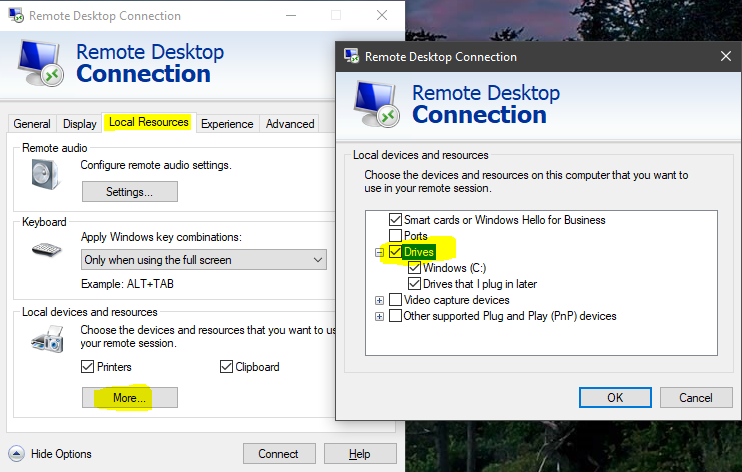
If your users are manually using MSTSC.exe to connect, then they will need to enable the drive redirection using LOCAL RESSOURCES\Other...\Drives :
Your user local C: drive will be displayed in explorer.exe :